Sensa Β· Kickstarter Β· July 2026

A wearable AI safety agent
you can wear.

Sensa is a wearable AI safety device that wakes on a dedicated wake word (or the SOS button), understands emergency context in the cloud, contacts selected people, and initiates a configured response β€” without needing a screen or phone during an emergency.

StatusLive now PriceFrom $99 Includes12 mo Aegis Plus
Sensa Β· 20 g Β· LTE-M
Sensa safety device β€” matte shell with a cyan status ring
status ring Β· standby
Now crowdfunding
Live now
Back Sensa early β€” from $99
β—‡ Local wake-word detection Β· cloud understanding● β—‡ Private-cloud contextual analysis after activation● β—‡ Mandarin, Cantonese, English, Japanese & Korean● β—‡ LTE-M subject to carrier & regional availability● β—‡ Certification targets: FCC Β· CE Β· ICASA Β· RCM● β—‡ Designed in Cape Town● β—‡ Local wake-word detection Β· cloud understanding● β—‡ Private-cloud contextual analysis after activation● β—‡ Mandarin, Cantonese, English, Japanese & Korean● β—‡ LTE-M subject to carrier & regional availability● β—‡ Certification targets: FCC Β· CE Β· ICASA Β· RCM● β—‡ Designed in Cape Town●
/ Passive by design

No screen.
No games.
Nothing to play with.

  • No games or social-media functions
  • No distracting notifications on the device
  • Screen-free, school-friendly design
  • One button. One job. Zero distractions.
Screen-free by design
/ Active when it counts

One press.
One word.
The workflow begins.

  • Contacts up to three selected emergency contacts
  • Shares your current or last known location
  • Live device audio or an AI-assisted voice workflow
  • Creates an encrypted incident record for review
Configured response workflow
β€” 01 / The agent

A panic button presses itself. An agent picks up the phone.

Press the button or say your wake word. From that moment, Sensa runs your configured response workflow β€” contacting your people, sharing your location, and creating an encrypted incident record.

/ STEP 01

Listens

Local low-power detection listens for a single dedicated wake word. The physical SOS button provides a direct alternative trigger.

local wake-word detection
/ STEP 02

Understands

After activation, a cloud-based LLM in the private-cloud environment assists with analyzing the relevant event context and preparing your configured response.

private-cloud analysis after trigger
/ STEP 03

Intervenes

Contacts up to three selected emergency contacts according to your configured workflow and shares your current or most recently available location. Public emergency-service access is available only where supported.

up to 3 contacts Β· configured workflow
/ STEP 04

Reviews

Creates an encrypted incident record that can include audio, location, timestamps, trigger details and response history for later review and incident-report export.

encrypted incident record
How voice triggering works

Sensa doesn't try to recognize every cry for help on the device. It listens locally for one dedicated wake word β€” then lets the cloud do the understanding. Say the word (or press the SOS button), then just speak.

/ 01 Β· STANDBY
β—―
Standby
Sensa listens locally for a single dedicated wake word β€” a binary "is this the word or not" check, the same class of engine behind "Hey Siri." Tiny, precise, and never continuously recording or uploading ambient audio.
/ 02 Β· WAKE
β—Ž
Wake word
Saying your wake word β€” or pressing the physical SOS button β€” starts the workflow. One word keeps the false-trigger rate low, no matter how many situations you support later.
/ 03 Β· RECORD
πŸŽ™
Record & locate
Only now does recording start β€” and you don't recite a phrase. Speak naturally: a cry, a few words, a description, in your own words. Sensa also captures your current or last known location. You might just say:
"Someone's following me" "I've fallen, I can't get up" "εˆ«θ·Ÿη€ζˆ‘"
/ 04 Β· ANALYZE
⬑
Private-cloud analysis
The cloud LLM does the hard part: deciding whether this is really an emergency, and what kind β€” no longer bottlenecked by a fixed local phrase list.
What you actually said Location context Device status Emergency type
/ 05 Β· ACTION
⚑
Configured response
Sensa contacts your selected contacts and supported services per your configuration, and creates an encrypted incident record.
SOSphysical backup
One wake word keeps false triggers low. If a panicked moment means you forget to say it, the physical SOS button is always there as a direct trigger. Every activation also has a configurable cancellation window.
Wake-word detection runs locally on-device. Audio is recorded and sent for private-cloud analysis only after your wake word or the SOS button starts the workflow.
Illustrative example

What happens after you trigger Sensa.

Illustrative workflow example. After activation, Sensa shares your information with your selected contacts and supported services and creates an encrypted incident record β€” without needing to use a phone.

Illustrative example, not a recording of an actual event. Event data is encrypted and deleted after the configured retention period unless an authorized user preserves it.

Sensa Β· Example SOS Β· example
⚑
DEVICE TRIGGER
Wake word detected Β· location captured Β· workflow started
L
USER
Someone's following me. I just got off the train.
S
SENSA
Contacting your selected emergency contacts and sharing your current location per your configured workflow.
β†’
CONTACTS NOTIFIED
Selected contacts notified Β· supported services where available
S
SENSA
A contact has connected. Your current location and event details have been shared.
L
USER
I'm inside.
S
SENSA
Your location and event details are shared with your selected contacts. An encrypted incident record has been created.
βœ“
INCIDENT RECORD
Encrypted incident record Β· audio Β· location Β· timestamps
β€” 02 / Everyday safety

For the people you can't always be there for.

Sensa is built for everyday safety moments β€” for children, women, older adults, and anyone traveling or walking alone. Same device. Same workflow.

A child walking home with a Sensa device clipped to a backpack strap
/ the walk home
/ For parents

The walk home alone.

Configured geofencing alerts and current or last known location sharing with authorized contacts. Activation uses your wake word or the SOS button.

configured geofencing alerts
A woman in a rideshare at night wearing a Sensa pendant
/ rideshare at midnight
/ For women

The rideshare at midnight.

After activation, Sensa can preserve encrypted event audio, share your current or last known location, and contact your selected emergency contacts.

wake word or SOS button
An older adult gardening with a Sensa device clipped at the collar
/ a call for help
/ For adult children

Help within reach.

An older adult can activate Sensa with a wake word or the SOS button to reach selected family members or caregivers β€” without a device that looks medical.

wake word or SOS button
β€” 03 / The hardware

Quiet on the outside.
Loud where it counts.

20 grams. Six ways to wear it. Approximately five days on a charge. The button does one thing well, so the workflow can do the rest.

A Sensa device on cream linen in natural light / Sensa Β· 50mm macro

A pebble of presence in your pocket.

Plastic housing with wearable accessories. One physical SOS button. An LED status indicator. Three MEMS microphones β€” two for emergency audio recording and one for low-power wake-word detection.

Dimensions
40 Γ— 30 Γ— 13 mm
Weight
20 g
Battery
~5 days
Charging
USB-C Β· 5 V
Connectivity
LTE-M + Wi-Fi
Water rating
IP65
Microphones
3Γ— MEMS
GNSS
GPS + QZSS
β€” 04 / Wear it your way

Six ways. One pebble.

Swappable accessories and placement options. Wear it the way the moment demands.
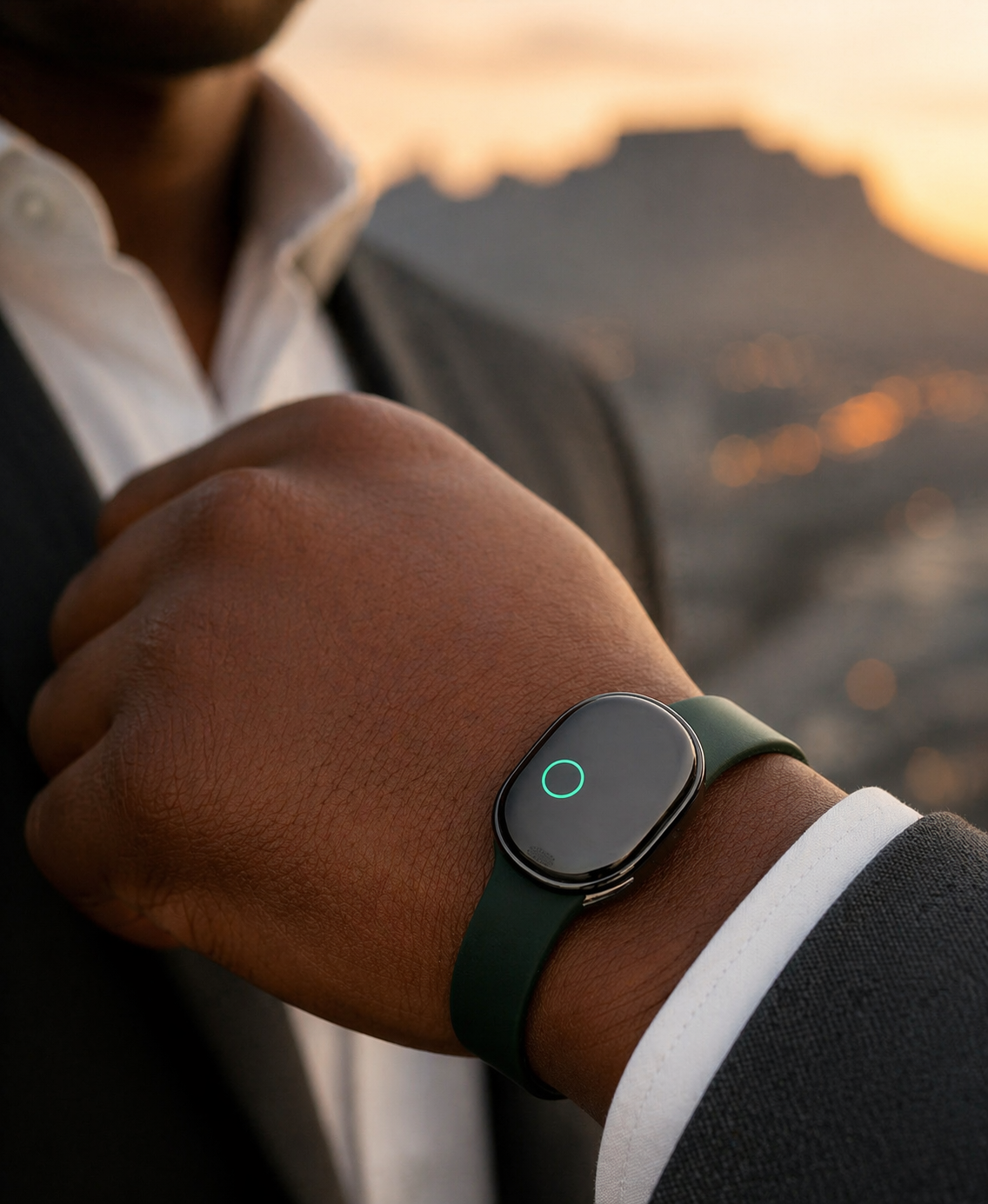
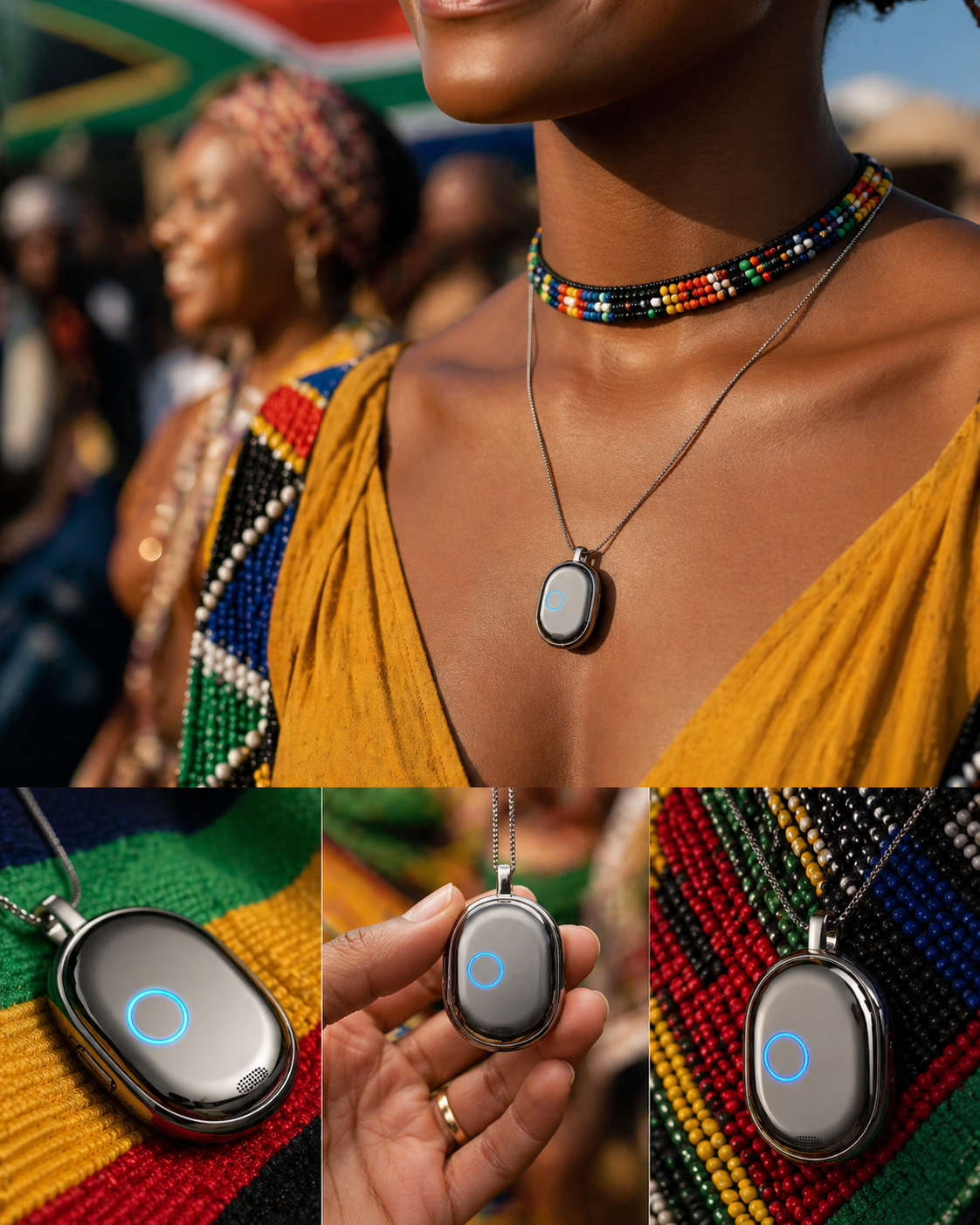
Wristband
/ 01

Wristband

Necklace pendant
/ 02

Necklace

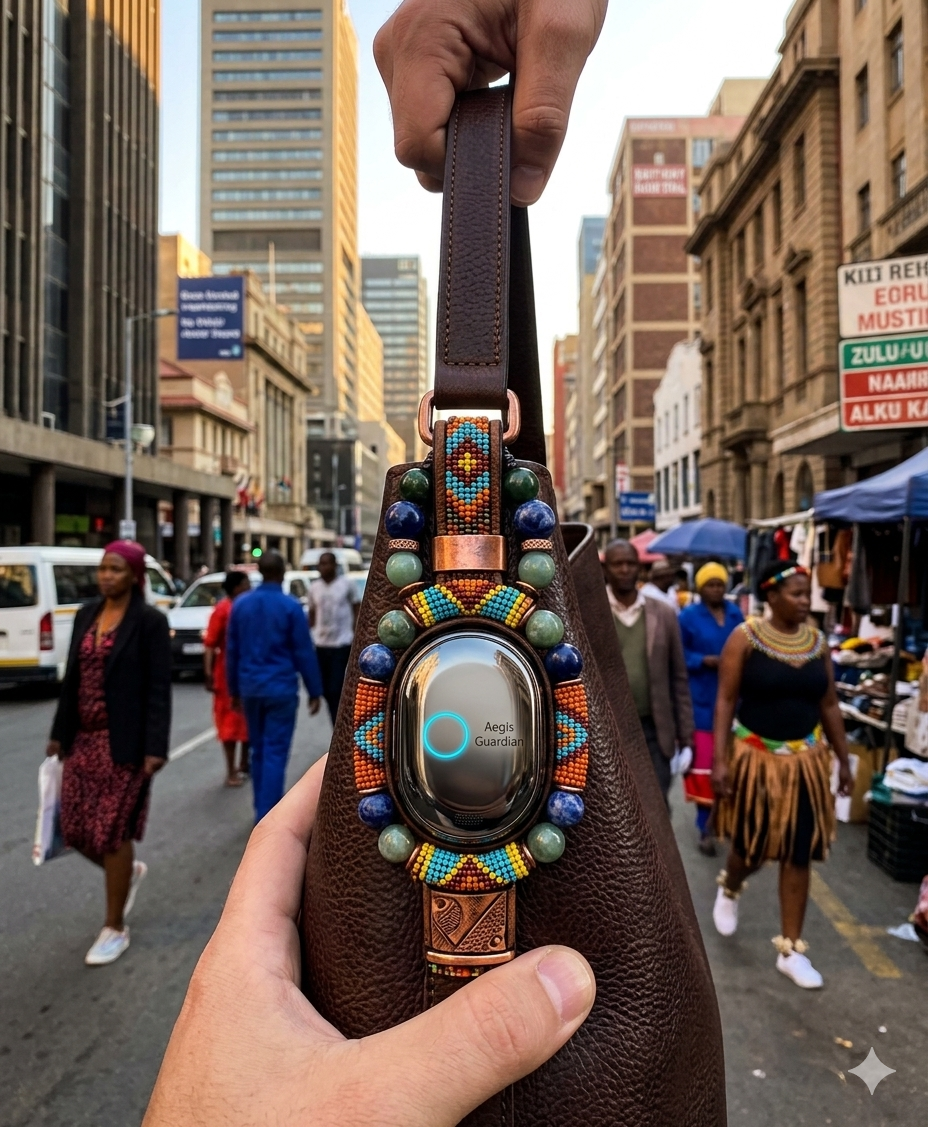
Bag charm
/ 03

Bag charm

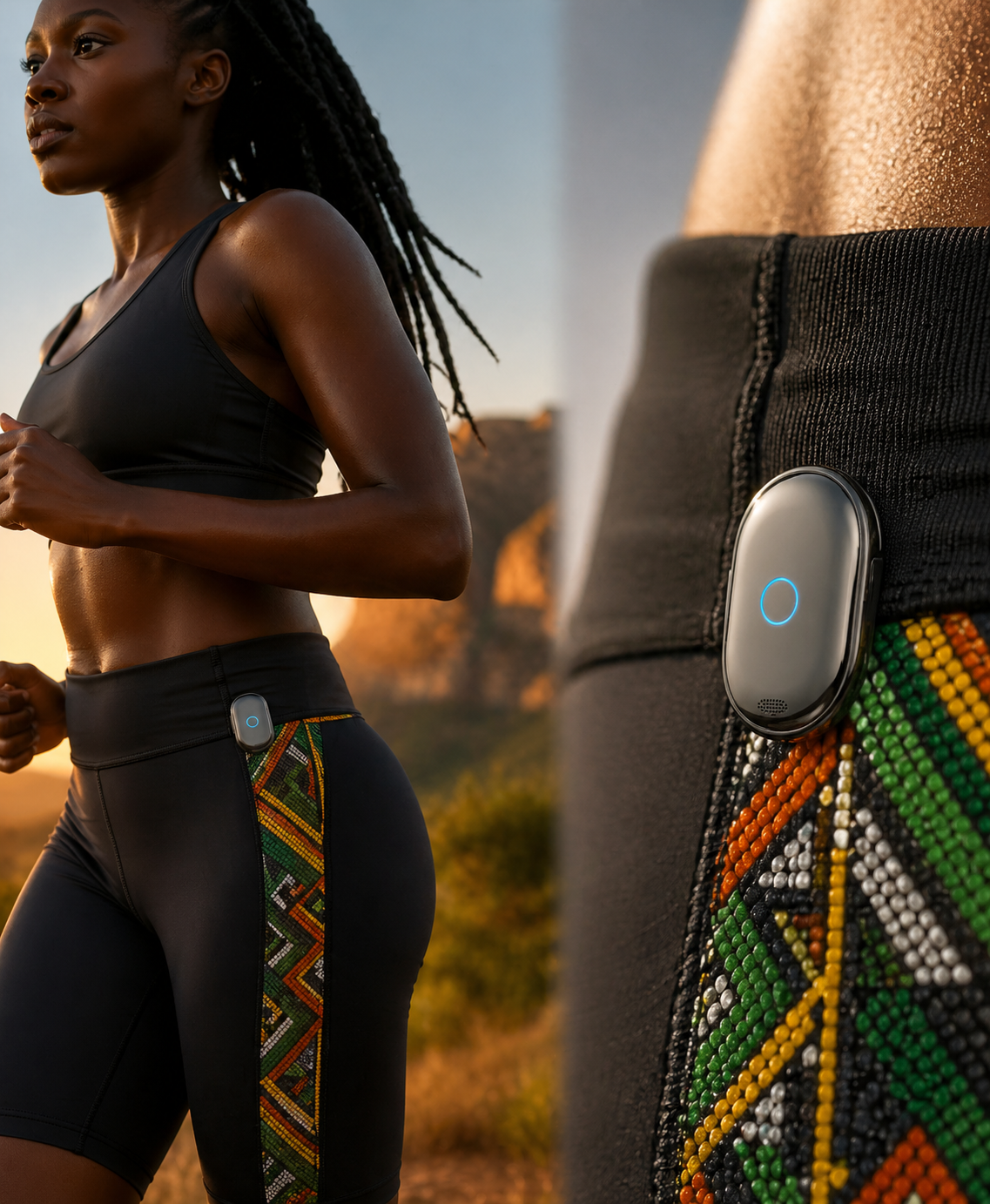
Wearable clip
/ 04

Wearable clip

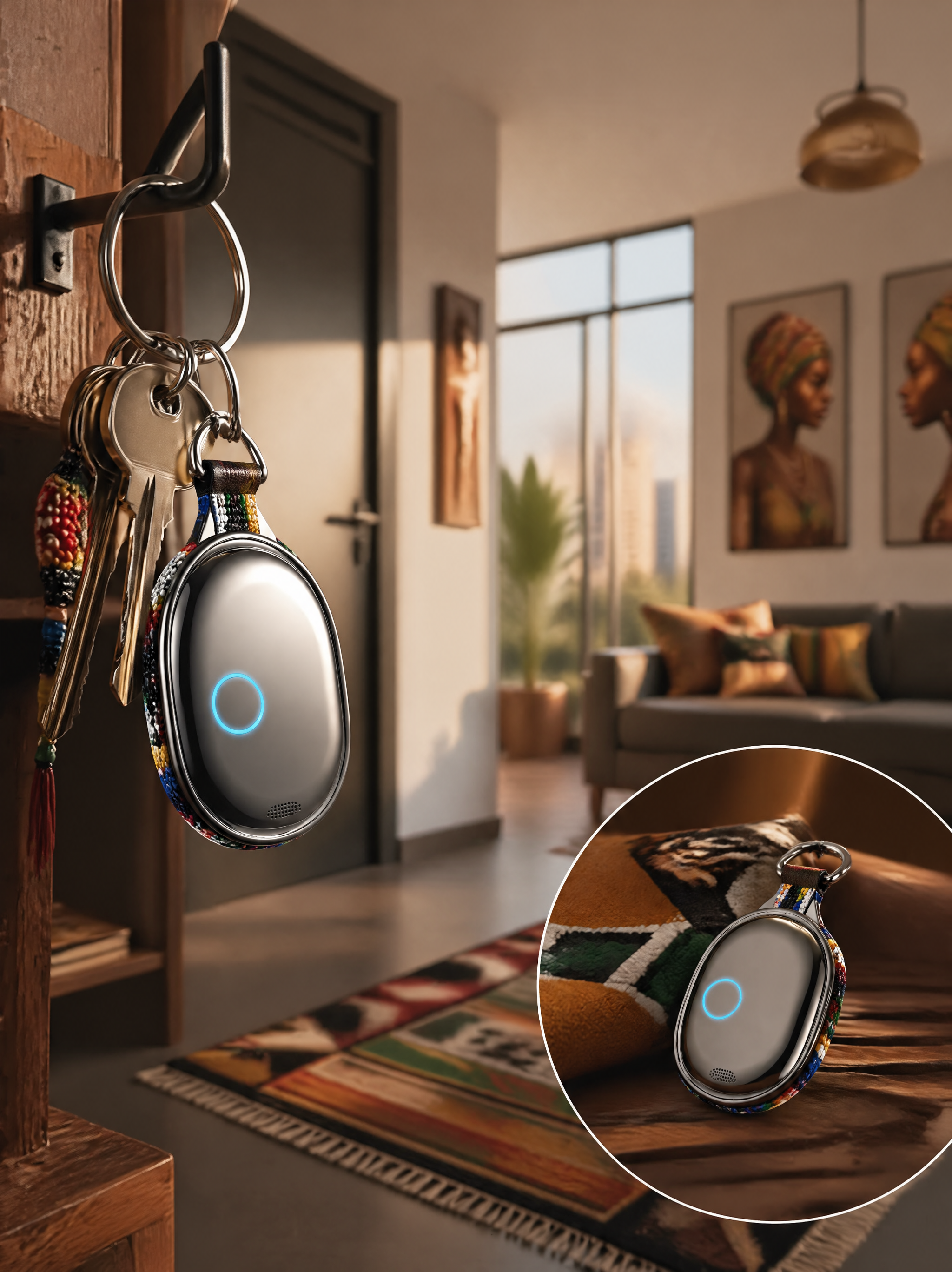
Keyring
/ 05

Keyring

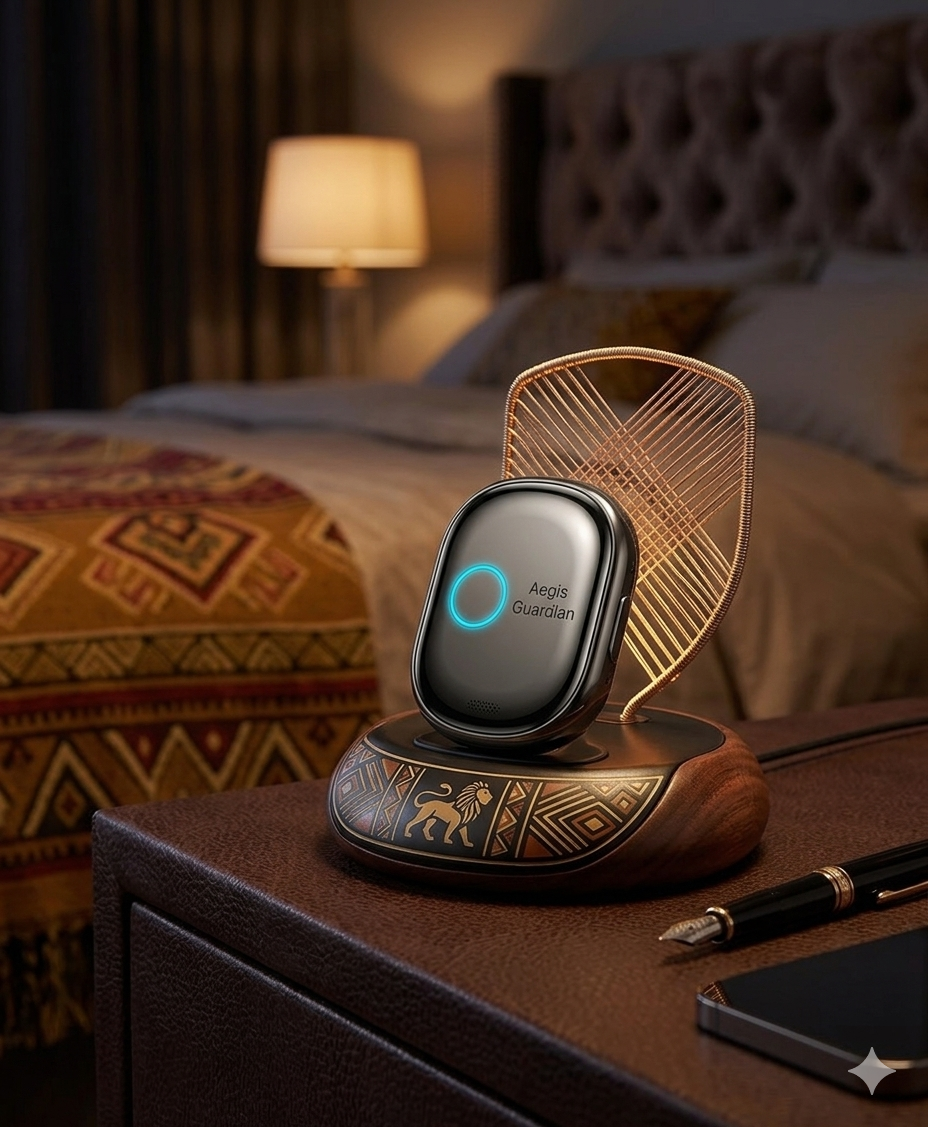
Bedside dock
/ 06

Bedside dock

β€” 05 / Privacy architecture

Always listening locally. Never recording in standby.

A device that hears your worst moments has to be the most privacy-respecting thing you own. We built it that way from silicon up.

/ 01

Local wake-word detection

Wake-word detection runs locally on-device. In standby, Sensa does not continuously record or upload ambient audio.

/ 02

Encrypted, ephemeral by default

Event records are encrypted during transmission and storage, and deleted after the configured retention period unless preserved by an authorized user.

/ 03

Private-cloud processing

Event data is processed in a private-cloud environment and is not used to train public or third-party general-purpose AI models. An active Aegis Plus subscription is required for product operation.

/ 04

Data minimization & access control

Sensa applies data minimization, access controls, and encryption to event data. Formal third-party audit and compliance certifications will be published once completed.

β€” 06 / Roadmap

From silicon to your front door.

Where Sensa is on the road to production. Certification is in progress and timelines may change.

Q1 2026

Prototype testing

Prototype units in field testing.

Q2 2026

Certification (targets)

Certification targets: FCC, CE, ICASA and RCM. Tooling and supply chain in progress.

Q3 2026 Β· Now

Kickstarter

You are here β€” Sensa is live on Kickstarter now.

Q4 2026

Production Β· Ships

First production units off the line for backers.

Ongoing

Aegis Plus

12 months of Aegis Plus included with every device; $4.99/month thereafter. An active subscription is required for product operation.

β€” 07 / Back the project

Pledge a Sensa. Back the campaign.

Every backer gets 12 months of Aegis Plus included and a direct line to the build team.

β€” 08 / Questions

The honest FAQ.

If something we say sounds too good, we wrote a longer answer for it. If something's still missing, ask us in the comments β€” we read every one.

Q01If it's "always listening," is it always uploading?+
No. In standby, Sensa performs low-power wake-word detection locally and does not continuously record or upload ambient audio. Audio is recorded and sent for private-cloud analysis only after your wake word or the SOS button starts the workflow.
Q02What does the AI agent actually say on a call?+
The AI-assisted voice workflow can share your name, the trigger details, the time, your current or last known location, and a call-back number, and can connect live device audio. It contacts your selected contacts and supported services according to your configured workflow.
Q03Does it work without my phone?+
Yes. Sensa has its own LTE-M modem and a global eSIM; the first year of cellular is included. Aegis Plus is $4.99/month thereafter, and an active subscription is required for product operation.
Q04What if the AI gets it wrong?+
You can cancel an accidental activation within a configurable cancellation window. Your contacts and supported services are then notified according to your configured workflow, and every action is recorded in the encrypted incident record for review.
Q05I'm in [country]. Will it work?+
LTE-M operation is subject to carrier support and regional network availability. Public emergency-service access is available only in supported regions and with the required service configuration. Where dispatch isn't available, Sensa still contacts your selected contacts and shares your location.
Q06How do pricing and membership work?+
The crowdfunding price is $99 and retail is $149. Every backer gets 12 months of Aegis Plus included; after that it's $4.99/month, and an active subscription is required for product operation.
Now crowdfunding

Meet Sensa.

Crowdfunding price $99. 12 months of Aegis Plus included. A direct line to the build team.

StatusLive now Price$99 Includes12 mo Plus Retail$149